Xero vs QuickBooks for Bookkeeping A Comparison
Xero vs QuickBooks for bookkeeping is a critical decision for any business owner, especially those managing finances for the first time. Both platforms offer robust features for handling transactions, creating invoices, and generating reports, but their strengths differ. This comparison delves into the specifics of each software, analyzing their functionalities, pricing, user experience, and integration options to help you choose the right tool for your needs.
This analysis will cover the key features of each platform, focusing on their ease of use, reporting capabilities, and customer support. We’ll also explore the types of businesses each platform best serves, from small startups to larger corporations.
Introduction to Bookkeeping Software
Bookkeeping software plays a crucial role in managing financial records for businesses of all sizes. It streamlines the process of recording transactions, generating reports, and ensuring accurate financial statements. This software is essential for maintaining organized financial data, making informed business decisions, and adhering to regulatory requirements.
Effective bookkeeping software simplifies the often tedious tasks of manual bookkeeping, freeing up valuable time and resources for business owners and accountants. This efficiency translates into better financial insights, faster reporting, and reduced risk of errors. Modern bookkeeping software often integrates with other business applications, providing a holistic view of the company’s financial health.
Fundamental Functionalities of Bookkeeping Software
Bookkeeping software offers a range of functionalities, automating many tasks previously done manually. Key functionalities include transaction recording, categorization, and reconciliation. These functionalities ensure accuracy and consistency in financial data. Software also facilitates the creation of various financial reports, providing a comprehensive overview of a business’s financial performance.
Typical Features in Xero and QuickBooks
Both Xero and QuickBooks are popular bookkeeping software options. Common features include invoicing, expense tracking, bank reconciliation, and reporting tools. Xero and QuickBooks allow users to manage accounts payable and receivable, track inventory, and generate financial statements like balance sheets and income statements. Advanced features like automated bank feeds and recurring transactions further enhance efficiency and accuracy.
Types of Businesses Benefitting from Bookkeeping Software
| Business Type | Software Suitability |
|---|---|
| Small Business | Ideal for managing finances, generating reports, and streamlining operations. Software solutions can be tailored to suit the specific needs of small businesses, often at a more affordable price point. |
| Large Corporation | Crucial for managing complex financial transactions and reporting requirements. Robust software solutions can handle large volumes of data and provide detailed reporting capabilities. Integration with other enterprise systems is often essential for larger organizations. |
| Freelancers and Consultants | Helpful in tracking income, expenses, and client invoices. Simple solutions are often sufficient for freelancers and consultants, offering efficient record-keeping and invoicing tools. |
| Non-profit Organizations | Essential for managing donations, grants, and other financial transactions. Specific features for tracking non-profit activities and adhering to regulations are often included. |
Xero Features and Advantages

Source: conta.com
Xero is a popular cloud-based accounting software designed for small and medium-sized businesses. Its user-friendly interface and robust features make it a compelling alternative to traditional desktop accounting solutions. This section will delve into the specific functionalities, pricing, ease of use, and integration capabilities of Xero.
Xero offers a comprehensive suite of tools, catering to various accounting needs, from basic bookkeeping to complex financial reporting. It’s particularly well-regarded for its ease of use, allowing businesses to quickly manage their finances and access crucial insights.
Specific Features of Xero
Xero’s core strength lies in its intuitive design, streamlining the accounting process. Features like automated bank feeds, streamlined invoicing, and robust reporting capabilities empower users to manage their finances effectively. These features are designed to minimize manual data entry and maximize efficiency.
Pricing Models and Subscription Plans
Xero’s pricing structure is based on subscription plans, tailored to accommodate different business needs and budgets. Plans vary in their feature set, including access to functionalities like inventory management, payroll, and more. This flexibility allows businesses to select the plan best suited to their requirements and financial resources. Pricing models are typically tiered, offering increasing levels of functionality with higher subscription costs. Businesses can often try a free trial period before committing to a paid plan.
Ease of Use and User Interface
Xero prioritizes ease of use, aiming to simplify the often-complex world of accounting. Its user-friendly interface is designed with simplicity and clarity in mind, making it accessible to users with varying levels of accounting expertise. The intuitive navigation and clear presentation of information contribute significantly to the positive user experience. Templates and wizards further assist users in navigating common tasks, reducing the learning curve.
Integration Capabilities
Xero excels in its ability to integrate with other business applications. This seamless integration allows for data flow between different systems, such as inventory management software or e-commerce platforms. This interoperability streamlines workflows and minimizes data duplication, enhancing overall efficiency. This integration with other software often reduces manual work and ensures that financial data is consistent across all systems.
Key Features and Benefits
| Feature | Benefit |
|---|---|
| Invoicing | Automated invoice generation and tracking, facilitating efficient billing and payment collection. This feature streamlines the entire invoicing process, from creation to payment receipt. |
| Reporting | Comprehensive reporting tools offer valuable insights into financial performance, allowing users to analyze trends, identify areas for improvement, and make informed business decisions. This detailed reporting provides a clear picture of financial health, enabling proactive adjustments. |
| Bank Feeds | Automated bank feed integration significantly reduces manual data entry by automatically importing transaction data from bank accounts. This saves time and reduces errors. |
| Expense Tracking | Effortless expense tracking through various methods, including receipts and automatic categorisation. This functionality simplifies expense management and analysis. |
| Inventory Management (Optional) | For businesses with inventory, Xero’s inventory management tools allow for efficient tracking of stock levels and costs. This ensures accurate inventory valuation and reduces stockouts. |
QuickBooks Features and Advantages
Source: iaccountancy.org
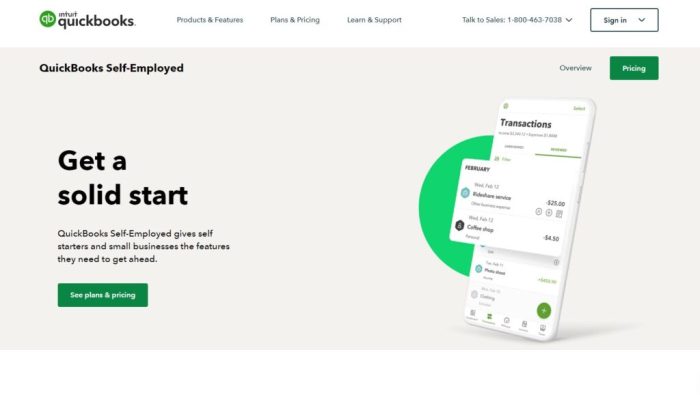
QuickBooks, a widely used accounting software, offers a comprehensive suite of tools for small and medium-sized businesses. It caters to diverse needs, from basic bookkeeping to advanced financial reporting, making it a popular choice for entrepreneurs and business owners.
QuickBooks’ strengths lie in its user-friendly interface and robust features, facilitating smooth financial management. Its adaptability to various business models and its integration capabilities make it a strong contender in the bookkeeping software market.
Specific Features of QuickBooks
QuickBooks boasts a range of features designed to streamline accounting tasks. These features include invoicing, expense tracking, inventory management, and reporting tools. This comprehensive functionality empowers users to efficiently manage their finances and gain valuable insights into their business performance.
- Invoicing: QuickBooks simplifies the invoicing process, allowing users to create professional invoices quickly and easily. This automation feature helps businesses maintain accurate records of outstanding payments and track revenue.
- Expense Tracking: The software facilitates expense tracking, enabling businesses to categorize and manage their expenses efficiently. This capability aids in understanding spending patterns and controlling costs.
- Inventory Management: QuickBooks offers inventory management tools that track stock levels, helping businesses avoid overstocking or running out of crucial products. This feature ensures optimal inventory control.
- Reporting Tools: QuickBooks provides various reporting options, allowing users to generate customized reports for different aspects of their business, such as profit and loss statements, balance sheets, and cash flow statements. These reports offer invaluable insights into financial performance.
Pricing Models and Subscription Plans
QuickBooks offers different pricing tiers to cater to businesses of various sizes. The pricing models usually involve a monthly or annual subscription fee. The subscription plans vary based on features included and the number of users.
- QuickBooks Online: This cloud-based option provides a subscription-based access to the software, with pricing typically dependent on the chosen features and the number of users.
- QuickBooks Desktop: This option offers a perpetual license, but typically requires a one-time purchase of the software. However, ongoing support and updates may incur additional costs.
Ease of Use and User Interface
QuickBooks is designed with a user-friendly interface, making it relatively easy to navigate and use. Intuitive design elements and clear instructions make the software accessible to users with varying levels of technical expertise.
“QuickBooks’ intuitive interface makes it a suitable option for both novice and experienced users.”
Integration Capabilities
QuickBooks seamlessly integrates with a variety of business applications, including payment processors, e-commerce platforms, and inventory management systems. These integrations streamline workflows and enhance data flow between different business tools.
Comparison of Pricing
The table below provides a general comparison of Xero and QuickBooks pricing for different business sizes. Note that specific pricing can vary based on the chosen features and subscription plans.
| Business Size | Xero Pricing | QuickBooks Pricing |
|---|---|---|
| Small Business | Starting at $40/month | Starting at $35/month |
| Medium Business | Starting at $75/month | Starting at $70/month |
Key Differences Between Xero and QuickBooks
Choosing between Xero and QuickBooks hinges on specific business needs and preferences. Both platforms offer robust bookkeeping functionalities, but their strengths and weaknesses differ, impacting user experience and overall cost-effectiveness. Understanding these nuances is crucial for making an informed decision.
User Experience and Interface Design
Xero and QuickBooks cater to different user preferences in terms of interface design. Xero boasts a streamlined, modern interface that is generally considered easier to navigate for new users. The layout is intuitive, with clear categorization of features. QuickBooks, while offering extensive functionality, often presents a more complex interface. Experienced users may find it more efficient, but beginners might find it overwhelming at first. Both platforms offer mobile apps for accessing key features on smartphones and tablets, improving accessibility and flexibility.
Support and Training Resources
Both Xero and QuickBooks provide extensive support resources. Xero emphasizes its online community forums and comprehensive help documentation, allowing users to find solutions independently. QuickBooks also has extensive online support resources, including video tutorials, FAQs, and downloadable guides. However, QuickBooks often offers more in-depth training options, such as webinars and workshops, particularly for complex functionalities.
Comparison Table
| Feature | Xero | QuickBooks |
|---|---|---|
| Mobile App | Highly intuitive and user-friendly mobile app with a broad range of features accessible on the go. Key functions such as invoicing, expense tracking, and bank reconciliation are easily manageable. | Mobile app provides comprehensive access to core features, but might have a slightly less intuitive design compared to Xero’s, depending on user preference. Some users find it slightly less streamlined. |
| Customer Support | Offers a variety of support channels, including phone, email, and online help resources. A strong emphasis on online communities and forums allows users to connect with peers and potentially find solutions quickly. | Customer support channels are well-established, with options for phone, email, and online resources. They often provide in-depth documentation and frequently updated FAQs. Their extensive knowledge base and online tutorials are notable. |
| Pricing | Pricing structure generally offers tiered plans, suitable for businesses of varying sizes and needs. The cost is often comparable to QuickBooks. Consider the additional features included in each tier when making a decision. | Pricing models for QuickBooks typically involve different tiers for different functionalities. These are often tailored to suit the needs of various business sizes and complexities. |
| Integration | Xero integrates seamlessly with a wide range of third-party accounting applications, improving workflow efficiency. The platform provides an extensive marketplace for readily available extensions. | QuickBooks also supports integration with many third-party applications. The range of integrations is comparable to Xero, with options to enhance specific business processes. |
| Scalability | Xero’s platform is designed to scale with the growth of businesses. The system’s adaptability ensures it can handle increasing transaction volumes and data complexity. | QuickBooks can accommodate business growth, though the complexity of features might require more time for training and setup compared to Xero. |
Specific Feature Differences
Xero excels in its intuitive design and streamlined interface, making it easy to manage invoices, expenses, and other financial transactions. QuickBooks, while comprehensive, may require more time for initial setup and training due to its more complex nature. Both platforms offer robust reporting capabilities, but Xero often stands out with its user-friendly reporting tools, allowing quick insights into business performance.
Integration and Add-ons: Xero Vs Quickbooks For Bookkeeping
Both Xero and QuickBooks offer robust integration capabilities, allowing businesses to connect their accounting software with other applications for a seamless workflow. This integration streamlines processes and reduces manual data entry, enhancing overall efficiency. This interconnectedness is a key factor in choosing the right platform for your specific business needs.
Xero Integrations
Xero boasts a wide range of integrations, connecting with various business applications to enhance functionality. This facilitates a more holistic approach to business management. These integrations are often a crucial element in the platform’s overall value proposition.
- Accounting and Financial Applications: Xero integrates seamlessly with payment gateways like Stripe and PayPal, enabling streamlined transactions and efficient financial management. It also integrates with accounting platforms, such as bank feeds, to automatically import financial data, minimizing manual entry errors and saving time.
- Customer Relationship Management (CRM) Systems: Xero integrates with popular CRM platforms like Salesforce and Zoho CRM. This allows for better management of customer interactions and data, creating a more unified view of customer relationships within the business. By synchronizing data, businesses can gain deeper insights into customer behavior.
- Inventory Management Systems: Xero can integrate with various inventory management systems to automate stock tracking, order fulfillment, and reporting. This automation allows for better control and accuracy over inventory levels.
- E-commerce Platforms: Xero integrates with popular e-commerce platforms like Shopify and WooCommerce, enabling businesses to seamlessly manage their online sales and financial data within Xero.
Xero Add-ons
Xero’s App Marketplace provides a wide range of add-ons to enhance its core functionality. These add-ons cater to diverse business needs, offering specialized features for various operational requirements.
- Invoicing and Payments: Add-ons like those for automating invoicing and streamlining payment processing improve efficiency and reduce administrative overhead. This automation significantly reduces manual work, allowing businesses to focus on other tasks.
- Time Tracking and Project Management: Add-ons are available for accurate time tracking and project management, crucial for businesses involved in project-based work. This improves efficiency and helps maintain detailed records of project progress.
- Payroll and HR: Add-ons that integrate with Xero’s payroll and HR features enhance the platform’s ability to manage employee information and payroll processing. This integration creates a centralized system for handling payroll and human resources.
- Reporting and Analytics: Add-ons offer advanced reporting and analytics capabilities, allowing businesses to gain deeper insights into their financial performance. This improves decision-making through data-driven insights.
QuickBooks Integrations
QuickBooks offers robust integration options with various applications to enhance its core accounting features. This integration capability connects QuickBooks with various other systems for a seamless workflow.
- Accounting and Financial Applications: QuickBooks integrates with bank feeds, allowing for automated data import, streamlining financial management. It also connects with payment processors like Square and Stripe, facilitating efficient transaction management.
- Customer Relationship Management (CRM) Systems: QuickBooks integrates with CRM platforms like Zoho and Salesforce, allowing for the consolidation of customer data and improving communication efficiency. This integration helps maintain comprehensive customer records and facilitates improved communication.
- E-commerce Platforms: QuickBooks integrates with e-commerce platforms like Shopify, enabling businesses to manage online sales and financial data within QuickBooks.
- Inventory Management Systems: QuickBooks can integrate with inventory management systems to automate stock tracking and order fulfillment. This improves efficiency and allows for better control over inventory levels.
QuickBooks Add-ons
QuickBooks offers a range of add-ons, commonly referred to as “apps,” to extend its functionalities. These add-ons cater to specific business needs, enhancing productivity and efficiency.
- Invoicing and Payments: Add-ons streamline invoicing and payment processing, reducing manual work and increasing efficiency. This is a significant factor in optimizing cash flow and minimizing administrative tasks.
- Time Tracking and Project Management: QuickBooks add-ons help track time and manage projects, crucial for project-based businesses. This allows for accurate project billing and improved project management.
- Payroll and HR: Add-ons offer payroll and HR functionalities, helping manage employee information and payroll processing. This centralizes the handling of payroll and human resources.
- Marketing and Sales: QuickBooks add-ons enhance marketing and sales efforts by automating tasks like email marketing, lead management, and sales tracking.
Integration Comparison
| Software | Integration Options |
|---|---|
| Xero | Accounting & Financial, CRM, Inventory, E-commerce |
| QuickBooks | Accounting & Financial, CRM, E-commerce, Inventory |
Reporting and Analytics
Both Xero and QuickBooks offer robust reporting and analytics features, enabling users to gain valuable insights into their financial performance. These tools empower businesses to track key metrics, identify trends, and make data-driven decisions. Thorough reporting is crucial for informed financial management, ensuring profitability and growth.
Financial Report Types
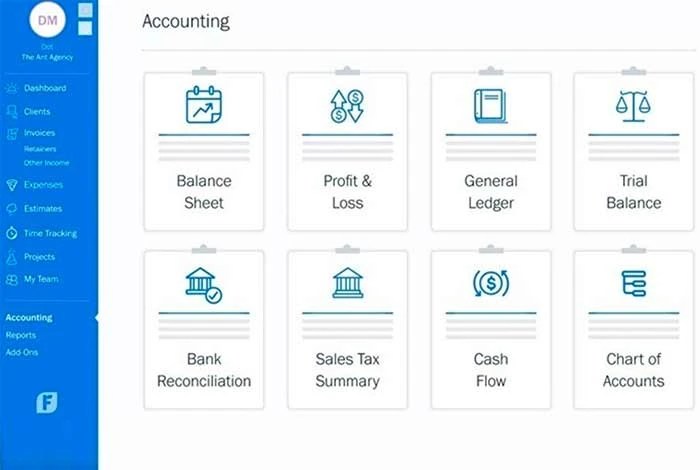
Xero and QuickBooks provide a comprehensive suite of financial reports. Users can generate reports encompassing various aspects of their business operations. These reports facilitate analysis of profitability, cash flow, and overall financial health.
- Profit & Loss (P&L) Statements: These reports track revenue and expenses over a specific period, highlighting the company’s profitability. P&L statements are vital for understanding the performance of different departments or product lines.
- Balance Sheets: These statements provide a snapshot of a company’s assets, liabilities, and equity at a specific point in time. They are essential for assessing the financial position and stability of the business.
- Cash Flow Statements: These reports detail the movement of cash in and out of a company over a period. Understanding cash flow is critical for forecasting future needs and managing liquidity effectively.
- Trial Balance: A trial balance summarizes the balances of all general ledger accounts. It helps in ensuring that debits equal credits, thereby confirming the accuracy of accounting records.
- Aged Receivables/Payables Reports: These reports provide a breakdown of outstanding invoices based on the due dates, assisting in managing outstanding payments and potential cash flow issues.
Customization Options
Both Xero and QuickBooks allow for customization of reporting and analytics. This flexibility enables users to tailor the reports to their specific needs.
- Customizable Filters and Dates: Users can refine their reports by selecting specific date ranges, categories, and other criteria. This facilitates targeted analysis and deeper understanding of trends.
- Report Formatting: Xero and QuickBooks offer options for formatting reports, including choosing different layouts and presentation styles. These options can make reports easier to understand and interpret.
- Custom Fields: Users can add custom fields to their reports, allowing them to analyze data in ways that are relevant to their business processes. This enhances the insights derived from the reports.
- Grouping and Aggregation: Users can group data into categories and aggregate it to gain a high-level overview of performance. This simplifies analysis and identification of key trends.
Dashboards and Visualizations, Xero vs quickbooks for bookkeeping
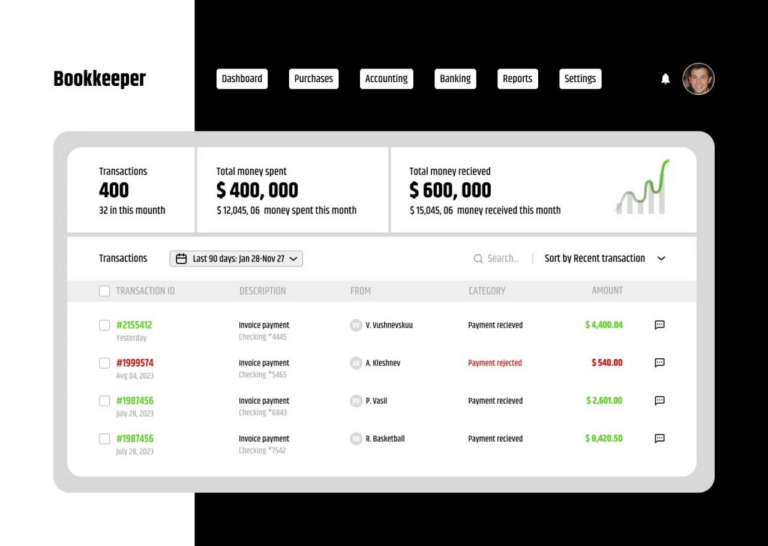
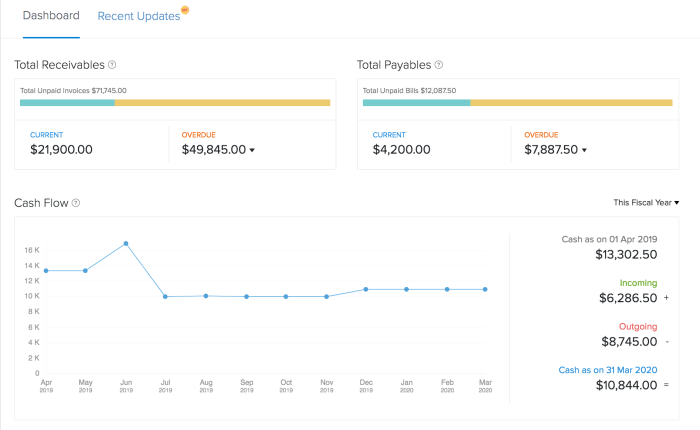
Both platforms feature dashboards and visualizations to provide a concise overview of key financial metrics.
- Interactive Dashboards: Users can create interactive dashboards with charts and graphs displaying key metrics, such as sales figures, profit margins, and customer trends. This allows for real-time monitoring of business performance.
- Visualizations: These dashboards employ various chart types (bar charts, line graphs, pie charts, etc.) to represent data visually, enabling easy interpretation of trends and patterns. This makes the data easily understandable and actionable.
Reporting Feature Comparison
| Feature | Xero | QuickBooks |
|---|---|---|
| Profit & Loss Statement | Yes, with various customizable options | Yes, with extensive customization options |
| Balance Sheet | Yes, with detailed view and customization | Yes, with detailed view and customizable options |
| Cash Flow Statement | Yes, multiple options for presentation | Yes, multiple formats for presentation |
| Trial Balance | Yes, readily available | Yes, readily available |
| Aged Receivables/Payables | Yes, with configurable options | Yes, with configurable options |
Customer Support and Training

Source: xero.com
Choosing between Xero and QuickBooks often hinges on factors beyond features and pricing. A crucial element is the level and accessibility of customer support. Understanding the support channels and available training resources is essential for smooth implementation and ongoing use.
Xero Customer Support Options
Xero offers a range of support options to cater to different user needs. Direct access to support is paramount for resolving issues promptly. A dedicated phone line allows for immediate assistance during critical situations, while the comprehensive online knowledge base is a valuable resource for self-help. Xero also utilizes community forums where users can collaborate and share solutions.
- Phone Support: Xero provides phone support, typically available during business hours, for more complex issues or urgent situations requiring immediate assistance.
- Online Support: Xero’s online support includes a comprehensive knowledge base, tutorials, and video guides covering a wide range of topics. This self-service option allows users to find solutions independently, saving time and resources.
- Community Forums: Xero’s online community forums allow users to connect, share experiences, and find solutions to common problems. This fosters a collaborative environment where users can learn from each other.
Xero Training Resources
Xero provides various training resources to empower users and enhance their understanding of the software. These resources include online tutorials, video demonstrations, and downloadable guides. Practical examples and step-by-step instructions are essential for effective onboarding.
- Online Tutorials: Xero’s website offers numerous online tutorials covering various aspects of the software, from basic setup to advanced functionalities.
- Video Demonstrations: Video demonstrations are valuable resources, visually showcasing how to perform specific tasks or navigate the software interface.
- Downloadable Guides: Xero offers downloadable guides, manuals, and documentation, providing comprehensive information on the software’s functionalities.
QuickBooks Customer Support Options
QuickBooks offers a variety of support options, ranging from self-service tools to dedicated phone support. The availability of support is crucial for users to address issues promptly and maintain smooth operations.
- Phone Support: QuickBooks provides phone support for users needing immediate assistance, addressing complex situations or urgent concerns.
- Online Support: QuickBooks offers an extensive online support center with FAQs, articles, and video tutorials, empowering users to troubleshoot issues independently.
- Community Forums: QuickBooks’ online community provides a platform for users to connect, share experiences, and find solutions to common problems. This collaborative environment allows users to leverage the collective knowledge base.
QuickBooks Training Resources
QuickBooks provides comprehensive training resources to help users maximize the software’s potential. These resources are essential for effective onboarding and ongoing development.
- Online Tutorials: QuickBooks offers online tutorials, covering various aspects of the software, enabling users to learn at their own pace.
- Video Demonstrations: Video demonstrations provide a visual understanding of the software’s functions and functionalities, enhancing the learning experience.
- Downloadable Guides: QuickBooks offers downloadable guides and manuals, providing comprehensive documentation for users to refer to.
Comparison of Customer Support Channels
| Support Channel | Xero | QuickBooks |
|---|---|---|
| Phone Support | Available during business hours | Available during business hours |
| Online Support | Comprehensive knowledge base, tutorials, and video guides | Extensive online support center with FAQs, articles, and video tutorials |
Closing Notes
In conclusion, choosing between Xero and QuickBooks depends heavily on individual business needs. Xero excels in its simplicity and cloud-based nature, making it a strong contender for small businesses. QuickBooks, on the other hand, offers more extensive features and customization options, potentially better suited for larger or more complex operations. Ultimately, careful consideration of your specific requirements, budget, and long-term growth plans is crucial when making this important software selection.